A Photographer’s AI Cleanup Erased a Wedding Guest’s Cane
The edited reception photo looked polished until the photographer compared it with the original. The tool had removed a cane and quietly rebuilt the person holding it.
November 2, 2026 · 7 min read
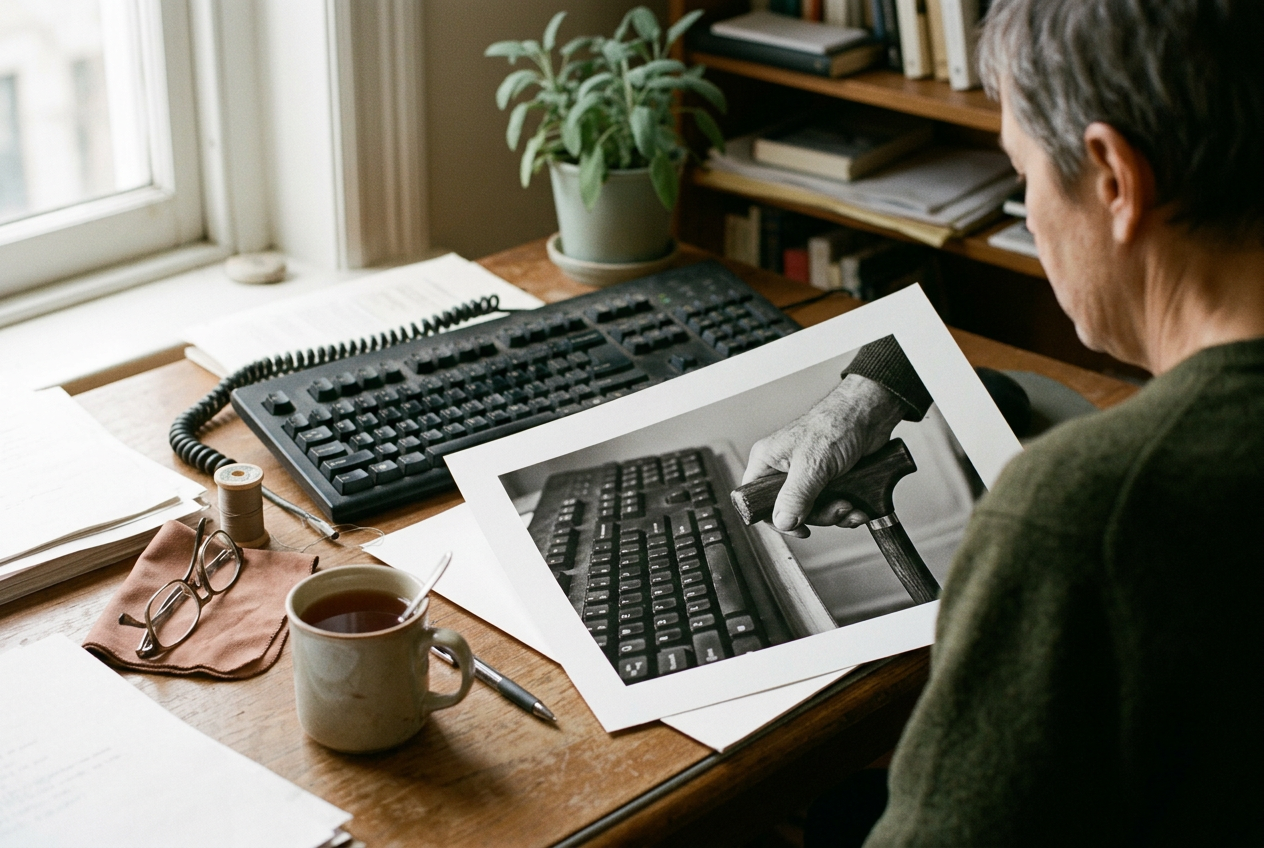
An 8-by-10 proof print sits beneath the edge of Mara’s keyboard. The original photograph is on the left. The edited version is on the right. She printed them together after noticing that the bride’s uncle, standing near the dance floor, no longer had his cane.
The missing cane is easy to spot once you know. Its handle should be under his palm, with the shaft running down beside his leg and the tip planted on the floor. In the edited version, his hand rests against a suit jacket that the software partly invented. His elbow has shifted inward.
His torso stands straighter.
Nothing looks broken.
That was the problem. A rough manual edit might have left a repeated patch of carpet or a hard edge around his sleeve, the sort of mistake a photographer catches while moving through a gallery. This image looked finished. The tool had not left a hole where the cane had been.
It had generated a plausible body in its place.
Mara is the name I’m using for a composite photographer drawn from common wedding-editing experiences. She works from a small studio with two monitors, a printer and the boxes used to deliver albums. In October 2024, eleven days after a wedding, she was at the late desk stage of the job: shoes off, dinner plate nearby, working through reception photographs after the brighter ceremony images were done.
The frame was crowded. The bride was laughing near the center while relatives pressed in from both sides. A server crossed the back of the room. On the floor, a napkin and part of a chair interrupted the open space near the bride’s uncle.
Mara used an automatic cleanup feature that offered to detect distractions and remove them. She had used it throughout the season. It was good at clearing an abandoned cup from a windowsill or rebuilding a patch of wall behind a sign, and it saved her from tracing every small object by hand. She still decided which suggestions to accept, though on a reception gallery containing hundreds of images, that decision could shrink to a quick glance.
On this photograph, the tool marked several areas. The chair and napkin made sense. So did a bright shape near the doorway. Mara accepted the proposed cleanup, watched the image refresh and moved on.
The version that passed at first glance
She found the change during a second pass, not because she was looking for the cane but because the uncle’s arm seemed stiff. In the original frame, his weight rested slightly toward one side. His hand closed around the cane handle while he leaned toward another relative. The posture made the small family cluster readable.
They were sharing the same moment.
In the cleaned image, the uncle appeared to stand apart. The software had redrawn part of his jacket, moved his hand and filled the space beneath it with fabric and floor. His expression remained untouched, which made the alteration harder to register. A familiar face still occupied the expected place.
Mara opened the untouched file beside it. Then she made the 8-by-10 proof print, partly to get the image away from the screen, where toggling between versions had begun to feel slippery. On paper, the difference was blunt. The uncle had arrived at the reception with a cane.
In one version of the family record, he had not.
Automated object removal does more than copy nearby pixels. Older retouching tools often sampled one part of an image and repeated it elsewhere. Generative cleanup systems can analyze the selected area and its surroundings, then synthesize new visual material that fits patterns learned from large collections of images. If the masked region includes part of a person, the system may rebuild clothing, skin or posture along with the unwanted object.
The tool did not need to identify the cane as a mobility aid before removing it. It only had to treat the narrow shape as something that interrupted a more statistically ordinary patch of floor and clothing. The cane crossed several visual boundaries, and the cleanup mask extended beyond its shaft into the uncle’s hand and jacket. Once those pixels were included, the model generated a replacement that looked coherent without preserving what had happened.
Its confidence was visual. The floor continued. The jacket closed. The hand ended somewhere believable.
The social meaning of the object was outside the task the software had been given.
The work inside cleanup
Wedding photographers have always edited. Mara adjusts exposure, crops frames and removes temporary distractions when they pull attention from the people in the photograph. A catering tray left in a doorway does not usually carry much meaning for the couple. Neither does a sensor spot in the sky.
A mobility aid is different, though the difference does not arrive as a technical rule. The cane occupied space, and automatic cleanup tools are built to make decisions about occupied space. The difficult part was not restoring it. Mara could return to the original file and redo the surrounding edits while leaving the uncle alone.
The difficult part was realizing that her own first glance had agreed with the machine.
She had looked for polish. The tool supplied it.
The 8-by-10 proof print stayed beside the keyboard while she finished the gallery. It changed what she noticed in other frames. In one photograph, the cleanup feature suggested removing a walker parked near a table while its owner sat nearby. In another, it marked the tube of a portable oxygen device among chair legs.
Mara rejected both suggestions, then wondered how many ordinary objects she had previously approved for removal without understanding whose body or independence they belonged to.
She did not stop using the tool. That answer would be tidy, and it would ignore why photographers use it. The cleanup feature handled genuine distractions well, especially at receptions where cables, discarded cups and people passing through doorways can pull the eye away from a brief expression. Some edits that once took several minutes now took less than one, leaving Mara more time to work on skin tone and sequencing.
Her workflow still changed. She began comparing any automated edit near a person with the untouched frame, paying particular attention to hands and the objects touching them. The extra review did not erase the time saved. It did make the savings less automatic.
There was another complication. Couples sometimes ask photographers to remove objects connected to illness, injury or disability. A temporary hospital bracelet may feel private. A wheelchair user may request that a bag attached to the chair be cleaned up while wanting the chair itself left intact.
The photograph cannot settle those choices by declaring every visible object sacred, and software cannot settle them by estimating which shape looks out of place.
Mara sent the bride the restored version in the final gallery. She also showed her the altered frame, without turning the exchange into a technical lecture. The bride recognized the changed posture before she focused on the missing cane. Her uncle had stood for part of the reception because he wanted to be close to the family group, but the cane was what made that possible.
That detail stayed with Mara. The software had produced a body that looked less supported because unsupported bodies appeared plausible in the visual context it generated. The result was not a caricature or a visible glitch. It was a modest correction toward an imagined norm.
Months later, the proof print remained near her desk. The right-hand image still looks cleaner at a casual glance. The chair edge is gone. The floor opens up.
The uncle’s jacket hangs without interruption.
Then the eye reaches his hand.
Questions people ask
Why would an AI photo tool remove a cane?
Automatic cleanup tools look for shapes that seem removable and generate replacement pixels from the surrounding image. A narrow cane crossing clothing and floor can resemble visual clutter to the system, especially if the selected area includes it. The model does not have to understand disability, support or ownership to erase the object convincingly.
Can object removal change someone’s body too?
Yes. Generative removal rebuilds the whole selected region rather than lifting out one object with perfect boundaries. If the mask overlaps a hand, sleeve or torso, the tool may invent new anatomy or clothing that fits the surrounding pixels. In Mara’s image, removing the cane also moved the uncle’s hand and straightened his stance.
Was the photographer wrong to use automated cleanup?
Mara did not see the tool itself as off-limits. It removed temporary distractions well and gave her more time for other parts of the gallery. The failure came from how plausible the altered result looked, which changed her review process. She kept using the feature but compared edits near people against the original file.
How did she decide which version belonged in the gallery?
She returned to what the original frame recorded and to the role the object played in the person’s movement. The delivered photograph kept the uncle’s bent stance, his hand around the handle and the cane tip on the floor. The altered version remains only on the right side of the 8-by-10 proof print.
One story a day
The story of the day, in your inbox
One real story about AI each morning — no hype, no alarm, just company for the road.